Week of July 20, 2026
Public booking pages now show times in the visitor's own timezone with the full timezone list, and Dispatch replies in your connected Telegram or Slack chat without needing permission first.
Booking pages default to the visitor's timezone
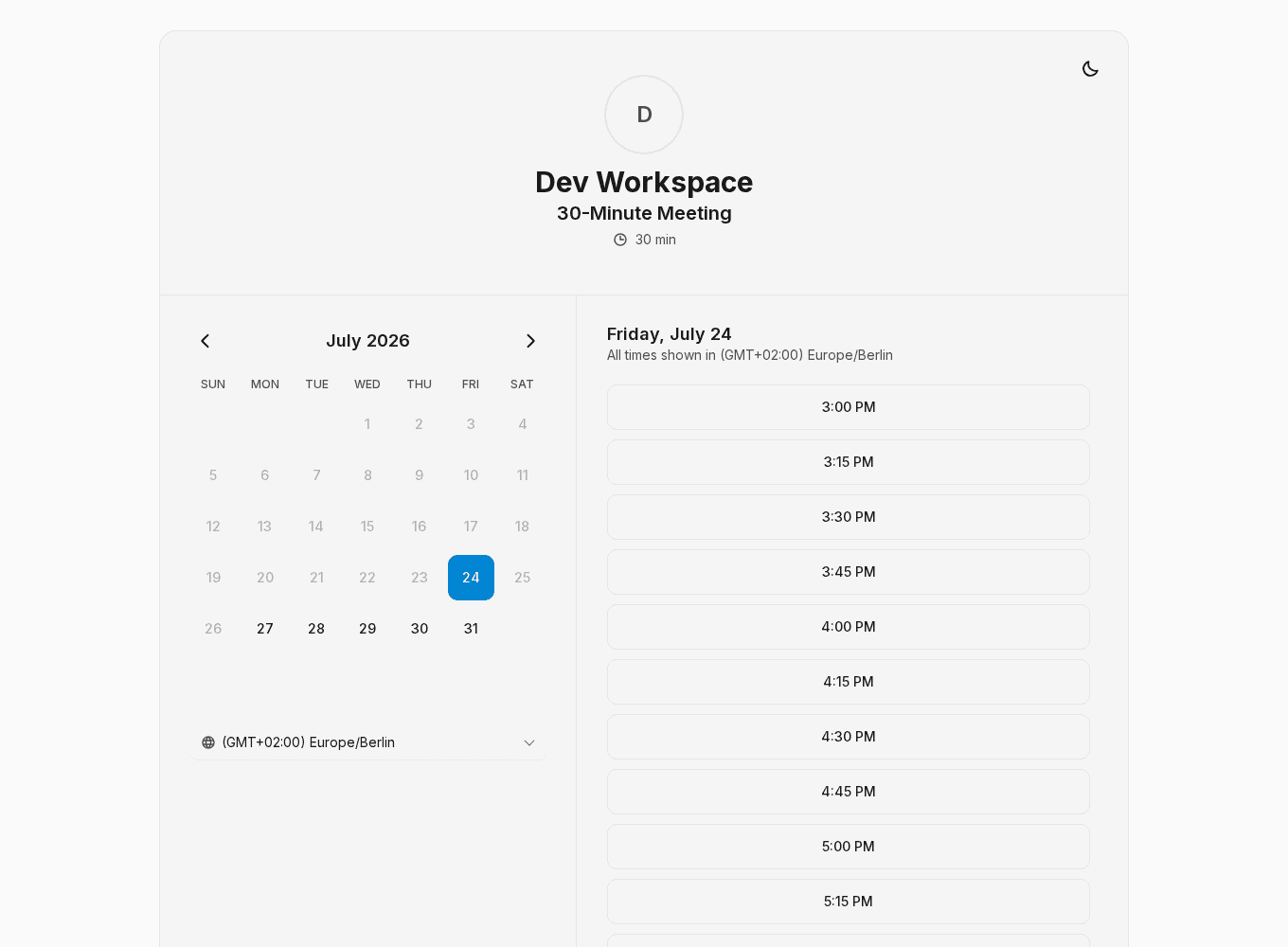
Public booking pages now show available times in the visitor's own timezone by default, instead of the page's configured timezone. A guest in Berlin opening a page set up in Toronto sees Berlin times, and the zone in use is labeled right next to the slot list so there is never any doubt about which timezone a time is in.
The timezone picker now lists every timezone with a readable label rather than a short fixed set, and the selected zone is always present and correctly labeled. Previously, when a page's zone was not one of the listed options, the picker could show the wrong label while rendering times in a different zone. The booking form and confirmation follow the selected zone throughout, and the underlying meeting time never changes when you switch zones.
The attendee reschedule page gets the same treatment: it opens in your detected timezone and offers the same picker, so the times you compare when moving a meeting match the times you booked.
Smaller changes
- Chat replies no longer need standing permission — Dispatch now replies and sends notifications in the Telegram or Slack chat you connected without you granting permission first. Messaging you in the conversation you are already having with Dispatch counts as a reply, not an external action, so it is never blocked, and your daily briefing and alerts reach you there again. Reaching any other chat, channel, or thread still asks for your consent. Existing workspaces were updated automatically, so this applies without any action on your part.
- Finished conversations open fully rendered — Opening a chat whose run has already finished now shows the whole conversation at once, instead of typing the last part of it back out as though the agent were writing it again. Reopening a chat while a run is still going shows everything written so far immediately and animates only the new text as it arrives. Live replies still stream in the same way they always have.
Week of July 27, 2026
Opening a chat now shows the end of the conversation immediately, instead of filling the thread in from the top one piece at a time.
Week of July 13, 2026
Large workspace data exports now download in full and resume if interrupted, and received-email automations can be limited to mail that is still in your inbox.