Week of June 22, 2026
Chat now echoes your message the instant you send it and puts your prompt back if a send fails before the agent replies, so you never lose what you typed.
Instant message echo, and your prompt is never lost
Sending a message in chat now feels immediate. Your message and the agent's thinking indicator appear the moment you hit send, without waiting on the network or on any attachments to finish uploading. Starting a brand-new chat is just as quick: the conversation opens right away rather than pausing on the way in.
If a send fails before the agent has produced anything, your message stays in the conversation and the text you typed is put back in the input so you can resend with a single tap. Any attachments come back too. This applies across the main chat and the Todos chat. Once the agent has started replying, nothing changes: errors surface inline exactly as before.
Turning off the notetaker now removes it mid-meeting
Switching the notetaker off on a meeting used to only stop it before it joined — once the notetaker was live in the call, turning the toggle off left it sitting there, still recording. Now turning it off pulls the notetaker out of the live meeting right away. Whatever it captured before leaving is still written up into the transcript and notes, and turning the toggle back on while the meeting is still going brings a fresh notetaker back into the call.
A calmer, searchable Connections page
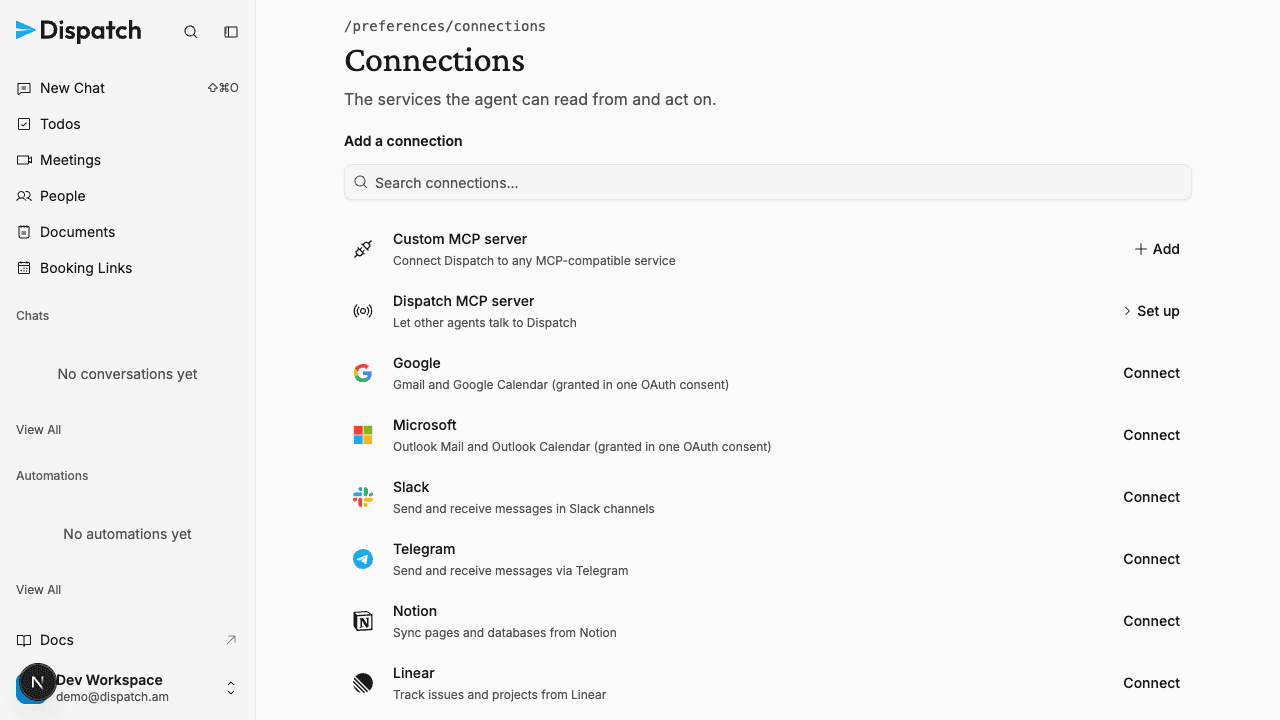
The Connections page in Workspace Settings has been redesigned so it is easier to scan what is connected and faster to add something new. Everything you have connected now reads as one consistent list, with each account or service on its own row showing its status, what it covers, and its actions, grouped by provider so multiple Google or Microsoft accounts stay tidy.
Adding a connection is now a search instead of a wall of tiles. Start typing a service name and the list narrows across every integration Dispatch offers, including the live catalog. Connecting Dispatch to your own MCP server, and pointing other agents at the Dispatch MCP server, are both first-class options at the top of the list. The Dispatch server's URL and API key are right there when you need them.
Profile photos that actually show up
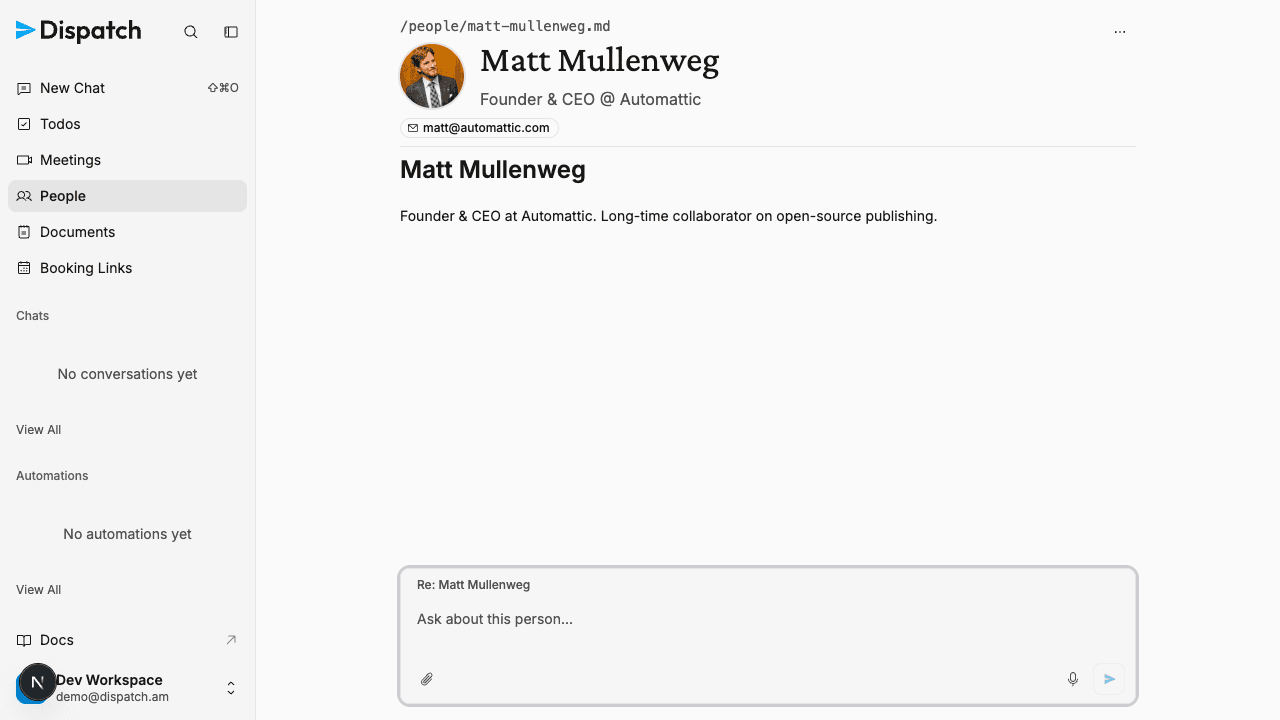
People profiles now source real profile photos on their own, reliably. When a new person is added, Dispatch looks for a genuine photo in priority order — first their Gravatar, then a real photo from your connected Google Contacts, auto-collected contacts, or Workspace directory, and from same-organization colleagues over Microsoft — and stores a private copy. It only ever uses a real headshot: if none of these has one, the profile keeps its clean initials avatar rather than a guessed or placeholder image.
This replaces the old approach of asking the agent to hunt down a photo by searching the web, which rarely worked and sometimes produced broken or wrong images. The new resolver is deterministic and private by design — it only fetches photos you are already entitled to see (your contacts, your org directory, public Gravatar), never scraping or looking up strangers. Connected-account photos need a one-time reconnect to grant read-only photo access; until then, Gravatar and initials still work, so nothing breaks in the meantime.
A photo-less profile can also be re-resolved on demand, and existing people can be backfilled, so contacts created before this change can pick up a photo too.
Emails render the way the sender wrote them
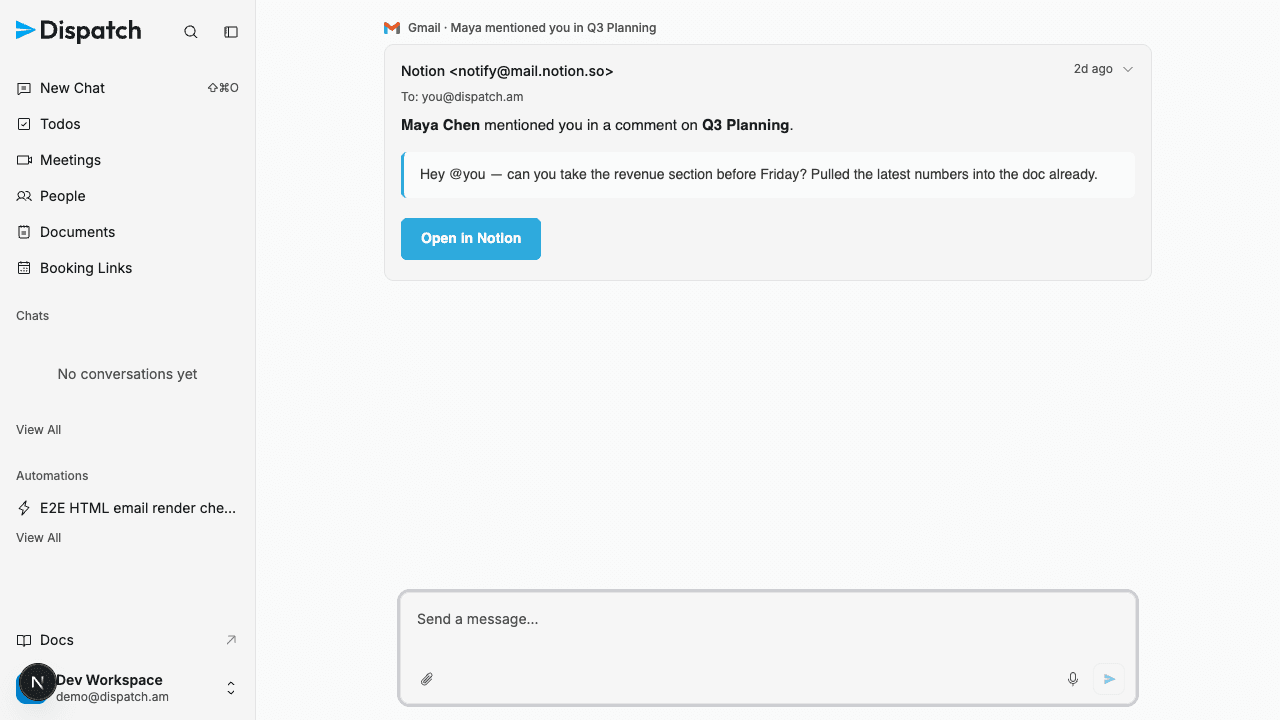
Email cards in chat, on a proposed reply, and in a todo's original context now show the message's real HTML — its fonts, colors, buttons, and layout — instead of a flattened plain-text version. The most common case, a notification email from Gmail or Outlook mail, is finally readable, with its links and structure intact.
Each email renders inside an isolated frame so its markup and styles can never affect the rest of Dispatch. Remote images, including tracking pixels, are blocked by default; when an email has them, the card shows an unobtrusive "Load images" control so loading is your choice, matching how Gmail and Apple Mail behave. If a message has no HTML, or it can't be rendered safely, the card falls back to the plain-text version it always showed.
Smaller changes
- Steadier prompt box on long pages — The "Ask about this…" box pinned to the bottom of a document, person, meeting, or document folder now stays put while you scroll a long page, instead of jittering or drifting as the content scrolls behind it.
- Audit Log moved into the account menu — The Audit Log is now in the account menu at the bottom of the sidebar, next to Workspace Settings and Connections, instead of sitting in the main navigation. The page itself was tidied so each assessed action and its details are easier to scan.
- Quieter chat header — Chat pages no longer show a "View in audit log" link above the conversation. The Audit Log is still a tap away from the account menu, so the chat header stays focused on the conversation.
- Tighter page headers — The file-path breadcrumb at the top of each page now sits snug against the page title instead of floating above it, so every page reads as one tidy header block.
- Cleaner data exports — Your workspace data export now includes just the current version of each document, automation, and preference rather than every past revision. The bundle is smaller and easier to read, with no
_historyfolders to sift through. - More reliable integration tools — The agent no longer fails to run when one of your connected integrations or MCP servers offers a tool whose options are numbered codes. Those tools now load cleanly alongside the rest.
- Avatars always render as circles — Profile photos and initials avatars now stay perfectly round across people profiles and the workspace members list, instead of squishing into ovals next to a long name or on a narrow screen.
- Smoother Microsoft 365 approval — Connecting Outlook mail or Outlook calendar can require a one-time, organization-wide approval from a Microsoft 365 admin. There's now a public approval link your IT admin can open ahead of time — no Dispatch account needed — so the whole organization is cleared before anyone sits down to connect, with clear confirmation and retry pages either way.
- Consistent todo labels — Every label now looks and behaves the same. Labels like
urgent,critical, orp0used to render as bold, uppercase chips and anurgentlabel quietly pinned a todo to the top of the list. Now all labels are plain tags you can freely name and filter on, and no label changes where a todo sits — todos sort purely by status and recency. - Checkout works for every plan — Signing up now completes no matter how a plan is priced. Some plans could hit a "you must provide at least one recurring price" error at checkout and never finish; those go through cleanly now, granting your starting credit and arming auto-reload just like every other plan.
- Available connections as a card grid — On the Connections page, the services you can add now appear as a browsable card grid that the search box filters live, set apart from the flat list of what you have already connected. Each card shows the brand, a short description, and a single Connect, Add, or Set up action, and the whole card is clickable and keyboard-friendly. The Custom MCP server and Dispatch MCP server lead the grid.
- Copy a draft email — Every email draft the agent proposes now has a Copy button next to Save as draft. It puts the current draft, including any edits you've just made, on your clipboard as plain text with the recipients and subject, ready to paste into another tool.
- No more duplicate Telegram and Slack pings — When several things happen at once — say an urgent email arrives and also becomes a todo — Dispatch used to message you about the same thing more than once on Telegram or Slack, because each part worked on its own. Now every outbound message on a channel is routed through that conversation, which sees what it has already told you and sends just one coherent update — while still letting a genuinely new development through. Urgent notifications still arrive promptly.
Week of June 29, 2026
The Daily Briefing is now on for every workspace by default, with any hand-rolled Telegram or Slack morning digest folded into it automatically, and the notetaker follows a meeting when its calendar event is rescheduled.
Week of June 15, 2026
Dispatch adds custom skills and a unified Skills page, clears resolved or irrelevant todos in real time, lets workspace owners export their full account data as a readable archive, and reads calendar event descriptions to find meeting links on custom or vanity domains.